Alright, so listen up, iPhone addicts—if you grab your phone the second you see that little red update dot, I totally get it. There’s just something weirdly satisfying about knowing your phone’s about to get a makeover. Anyway, iOS 26 beta just landed (yeah, we’re already on 26, wild, right?), and honestly, it’s like Apple’s gone full mad scientist with the features this time. ios 26 beta
The official ios 26 beta dropped mid-September 2025, and now we’re already messing around with the public beta 2 for iOS 26.1. Apple’s basically treating us like their favorite lab rats—tossing us the new stuff before it’s even finished, just to see what we break.
Oh, and real quick—if you’re sitting there confused about the whole “26” thing, you didn’t miss eight years of your life. Apple just decided to skip from 18 straight to 26, because, I dunno, branding or vibes or whatever. They rolled that out at WWDC, and now everything’s all matchy-matchy across their gadgets.
So, what’s actually cool about this beta? No nerd-speak here, just the stuff that makes your phone feel less boring. Let’s get into it.
What’s New and Shiny?
The ios 26 beta let’s get real—why mess with the iOS 26 beta in the first place? It’s basically like sneaking a spin in a new Ferrari before they even slap the price tag on. Apple’s tossing out these betas for free now, no developer badge required. Just hit up beta.apple.com and you’re in. It’s your golden ticket to poke around, catch bugs, maybe even toss Apple a “Hey, this is busted!” and pretend you’re part of the inner circle. Kinda fun flex, not gonna lie. ios 26 beta
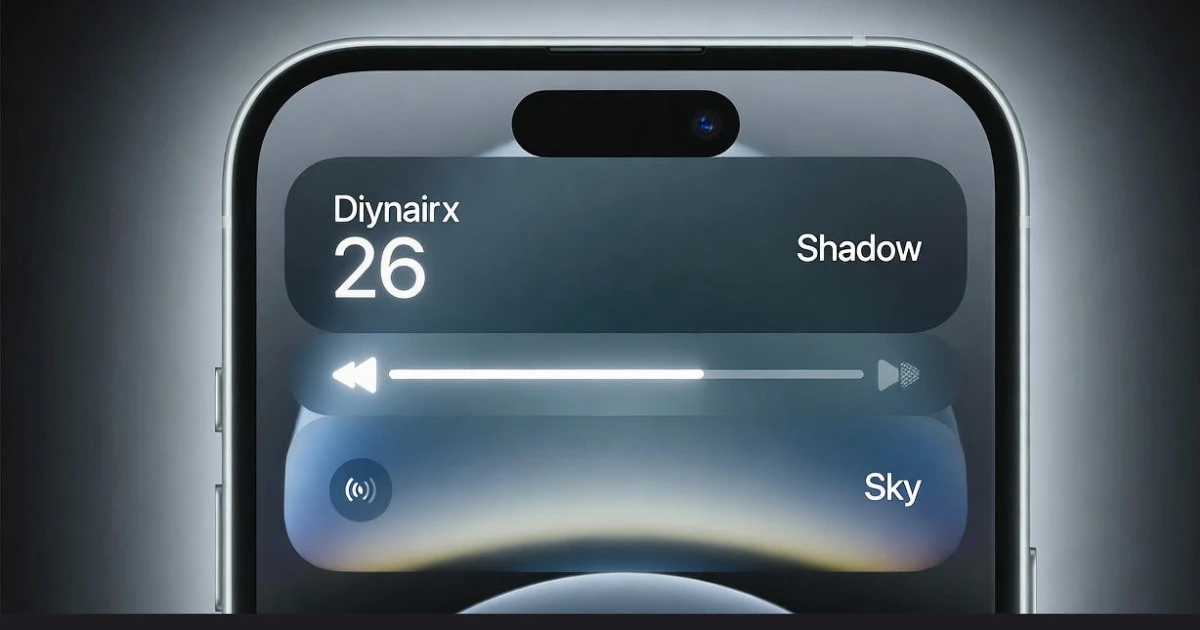
Now, the full ios 26 beta? That thing dropped with all sorts of wild changes. The Liquid Glass vibe alone—seriously, your home screen suddenly looks like it belongs in a sci-fi movie. Glossy, kinda frosty, totally showing off. But the beta’s where the magic gets ironed out. Like in beta 2, they messed with Apple Music controls. Now you can just flick left or right on the song title to skip tracks, doesn’t matter if you’re staring at the mini-player or blasting it full-screen. Tiny detail, but it just clicks. Like, why wasn’t this always there? Feels like the phone’s actually reading your mind for once.
The Coolest Features So Far
You know what’s actually cool? That new “Clear” theme they dragged in from the main drop. It sits right next to the usual suspects—Dark, Light, Tinted—but this one just cranks up those Liquid Glass vibes on your icons. They practically melt into whatever wild wallpaper you’re rocking—Shadow, Sky, Halo, Dusk—especially now with those fresh beta 3 styles. Honestly, it’s like unlocking your phone and seeing your apps just float there, glimmering like some trippy water effect. Looks slick, but doesn’t scream for attention either.
And, hey, if you’re even a little paranoid like me, iOS 26 beta got some beefy security juice now. TLS 1.3 with all that quantum-secure cryptography jazz. Translation: your stuff’s basically in Fort Knox, and you don’t have to flip a single switch since it’s on by default. Most big apps are already down with it, so you’re covered. Go ahead, binge that true crime doc at the coffee shop—nobody’s peeking at your data.
The Beta Experience: Bugs and Battery
Alright, here’s the real scoop—betas can be a circus sometimes. Battery drain and weird bugs? Oh, absolutely. I’ve seen enough people on Reddit’s r/apple griping about their phones turning into pocket heaters or animations stuttering like they’re stuck in 2012. Apparently, Beta 4 was the golden child—people were actually shocked that battery life didn’t suck, even on older stuff like the iPhone 16 Pro Max. Wild, right?
Oh, and you know those mornings where your alarm rings and you’re half-awake, just stabbing at the screen and accidentally snoozing forever? Apple finally tweaked that in the latest iOS 26.1 public beta 2—now you have to swipe to dismiss. Less chance of being late to work, maybe. ios 26 beta
Calendar got a makeover too. Now, when you check your list view, events splash their color all across the bottom bar for the day. Honestly, it’s way easier to spot your gym time sandwiched between five pointless Zoom calls. And split-screen? Still there, but you gotta jump through a few extra hoops compared to the iPad version. Maybe Apple will stop making us work for it soon. One can dream.
How to Get iOS 26 Beta Safely
Step-by-Step Guide The Ios 26 Beta
Alright, here’s the deal if you wanna snag iOS 26 beta without nuking your phone. Just hop into Settings, then General, tap Software Update, and hit Beta Updates. Stick with the public beta—seriously, unless you love chaos, don’t mess with the developer one. Oh, and before you do anything, make a backup. iCloud, your laptop, whatever floats your boat. I learned that one the hard way—lost half my stuff once because a beta decided my banking app just wasn’t cool enough to work.
If you’re rocking an iPhone 12 or newer, it should be pretty chill. Anything older? Meh, probably not worth the hassle. And dude, do NOT put this on your main work phone unless you’re into living dangerously. After you install it, just watch your battery—betas love to chew through power until the final version drops.
Look, I’ve been playing with iOS betas since back when dark mode was just a rumor, so trust me when I say iOS 26 beta actually feels kinda exciting. Apple’s finally ditched the boring, flat look and gone full glassy-vibes—feels like my phone just got a glow-up without turning into a usability nightmare. Security’s tighter too, which is great because, well, I like my sleep and not having my bank app hacked.
No, it’s not like the wild jump when the iPhone camera suddenly made everyone a “photographer,” but hey, progress is progress. That new Clear theme? Minimalists are gonna lose their minds. The swipey music controls actually mean I can skip tracks without turning into a pocket-digging contortionist on the subway. Every second counts when you’re running late, right?
If you’re the careful type, just chill and wait for beta 3 or maybe the 26.1 drop—apparently, that one’ll squash the last of those annoying Split View hiccups. But if you like a little chaos in your life, go for it now. Just don’t come crying to me if your calculator app crashes mid-math test. Betas are supposed to be a little wild. That’s half the fun.
Calculation
Alright, let’s just call it—iOS 26 beta’s more than some boring software update. It’s basically Apple sliding into your DMs like, “Hey, wanna help us make the iPhone cooler?” Liquid Glass? Yeah, it’s flashy and honestly, kinda wild.
And all those tiny changes? They actually ios 26 beta make things smoother. Gotta admit, I’m hyped. Did you mess around with it yet? Spill in the comments—what’s the one thing you’re obsessed with? And if this nudged you closer to updating, toss it a share. Keep your battery above 10%, alright?